
August 2026 Updates
On This Page:
Waitlisted Students No Longer Have Brightspace Access
New Attendance and Survey Widgets Available
FERPA and Unmapped Sections Widgets
Question Library Imports Just Got Easier
Opt-Out Option for Zoom Recordings in Panopto
Turn Images into Interactive Learning Experiences with Thinglink
Fall Modernization
As of August 17, three updates are live across the University of Arizona Brightspace environment as part of the Fall 2026 Brightspace Modernization.
New Content Experience
The New Content Experience (NCE) is now the default content interface in all Brightspace courses. Visit our help pages for guidance on adding, organizing, and managing course content.
Standard Navbar
Brightspace course sites now use the Standard Navbar, replacing most custom navbars. Students will find course tools and resources in consistent locations across their courses.
Final Calculated Grade
Final Calculated Grade is now the default grading option and is automatically released in Brightspace course sites. This allows students to see their current cumulative grade throughout the semester. Instructors should verify that Final Calculated Grade is selected and released in each course site, particularly when copying from a previous site that used Final Adjusted Grade.
Verify Final Calculated Grade Settings
Waitlisted Students No Longer Have Brightspace Access
Beginning this semester, waitlisted students will not be added to Brightspace courses or have access to course content. Once a student moves off the waitlist, they will be added to the Brightspace course through the standard enrollment process.
No action is required in Brightspace. However, instructors may want to clarify this change in beginning-of-semester communications, as students may be familiar with the previous process.
To check whether your course currently has waitlisted students, review your course information in UAccess. Questions? Contact the Registrar.
New Attendance and Survey Widgets Available
Attendance and Surveys may be missing from the Standard Navbar, but they haven’t gone far. While the navbar can no longer be edited to include custom links, you can still give students easy access by adding the newly available Attendance Register or Surveys custom widget to your course homepage.
Both are available in the list of widgets when editing your homepage.
FERPA and Unmapped Sections Widgets
Two Brightspace widgets can now help instructors spot items that may need attention.
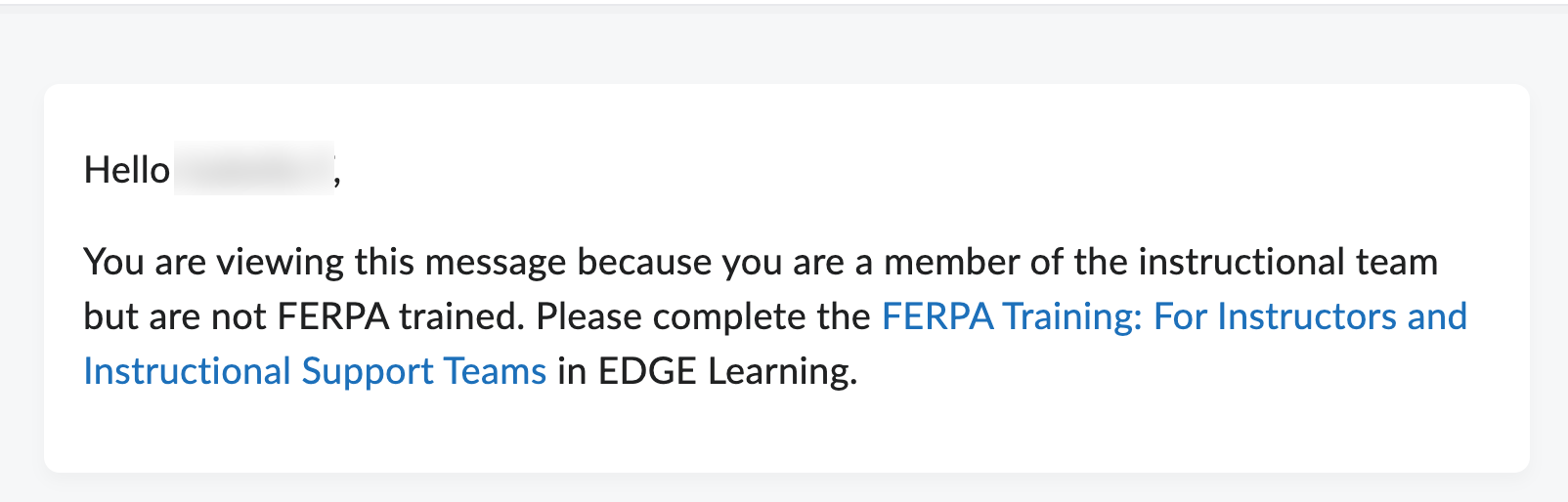
The FERPA widget notifies Primary Instructors when a member of their teaching team, including a TA or Grader, has not completed FERPA training. Those team members will also see instructions and a link to the training in EDGE Learning. Once everyone has completed the training, the widget disappears.
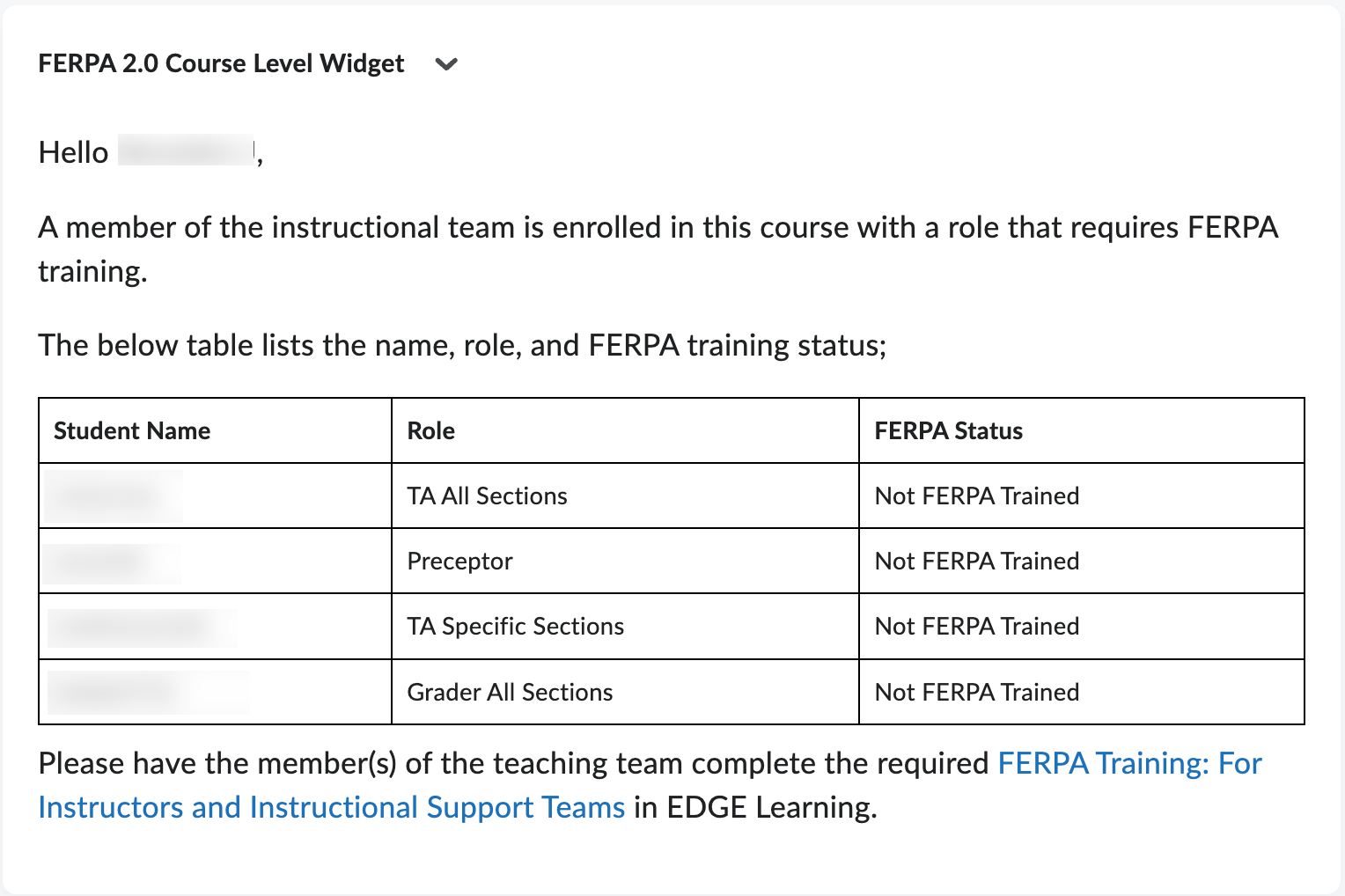
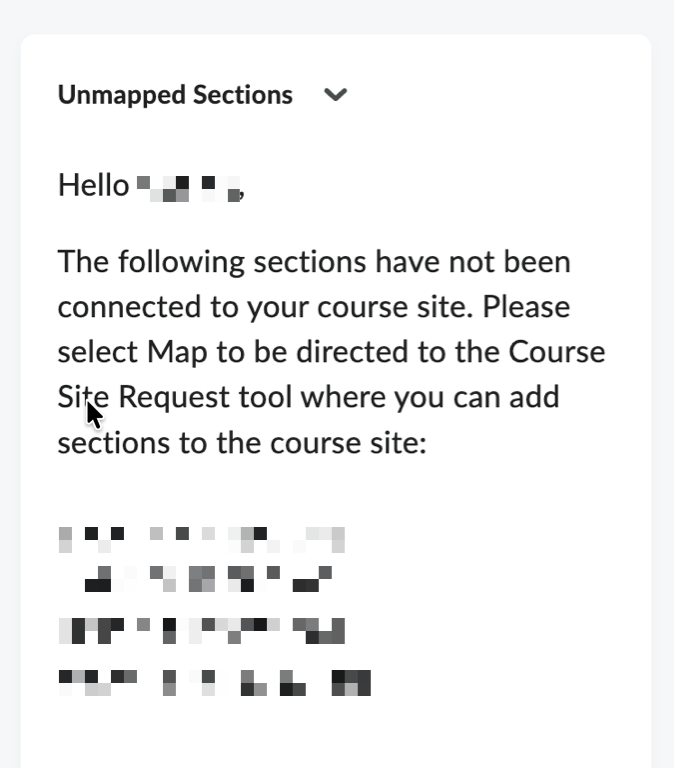
If you’re listed as the Primary Instructor for a course section that has not been requested as its own Brightspace course site or added to an existing site, the Unmapped Sections widget will appear in the lower-right corner of your course homepage.
Visible only to instructors, the widget identifies sections that still need to be connected to a Brightspace site.
Question Library Imports Just Got Easier
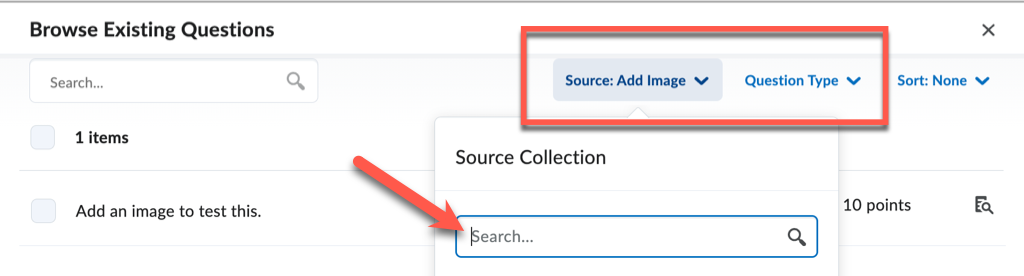
Have questions in an existing quiz, survey, or self-assessment that you’d like to reuse? Add them to the Question Library with Import > Browse Existing Questions.
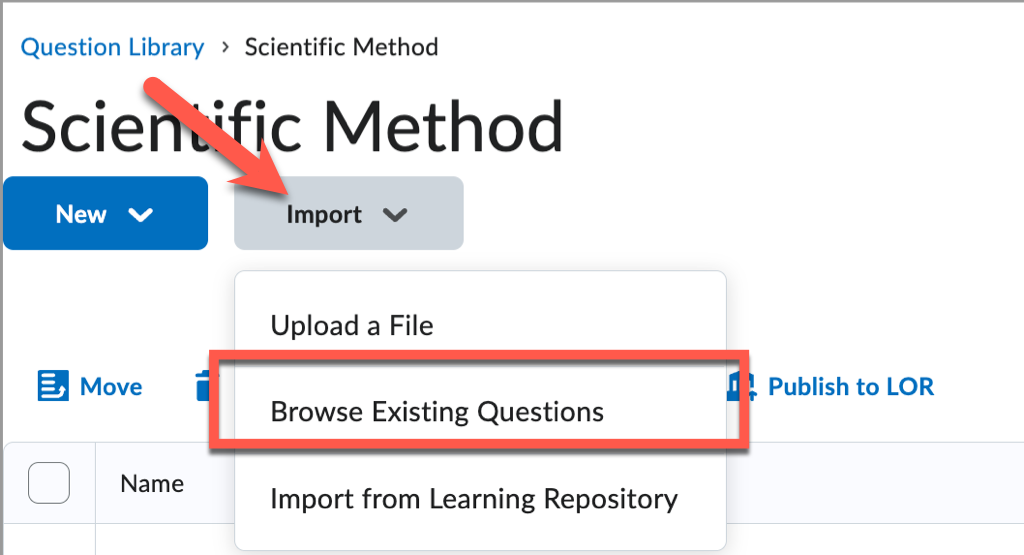
Brightspace has refreshed the Source and Filter dropdowns, and both now include search fields. You can find the right collection and question type more quickly, then import the questions you need.
Opt-Out Option for Zoom Recordings in Panopto
Did you know that the Panopto and Zoom integration automatically copies all Zoom cloud recordings to Panopto, allowing them to remain available beyond Zoom’s 130-day retention period. Users are opted in by default, so no action is needed if you want your recordings to continue copying to Panopto.
If you don’t want your Zoom recordings copied to Panopto, you can now opt out.
Learn about the Panopto and Zoom Integration
Turn Images into Interactive Learning Experiences with Thinglink
In case you missed it, Thinglink is now available in all Brightspace courses! ThingLink allows instructors to create interactive images, virtual tours, 360° experiences, and other immersive learning activities by embedding multimedia content directly into visual environments.
Whether building a virtual field trip, an interactive diagram, or a scenario-based learning activity, the new ThingLink help pages can help you get started.